Campaigns in Setloop: Your Assistant Answers Everyone Who Replies to Your Promotion
You send a promotion to many customers. Lots of people reply at the same time. With Campaigns, Setloop's assistant knows what you offered, answers each person right away and leads each one to a next step.
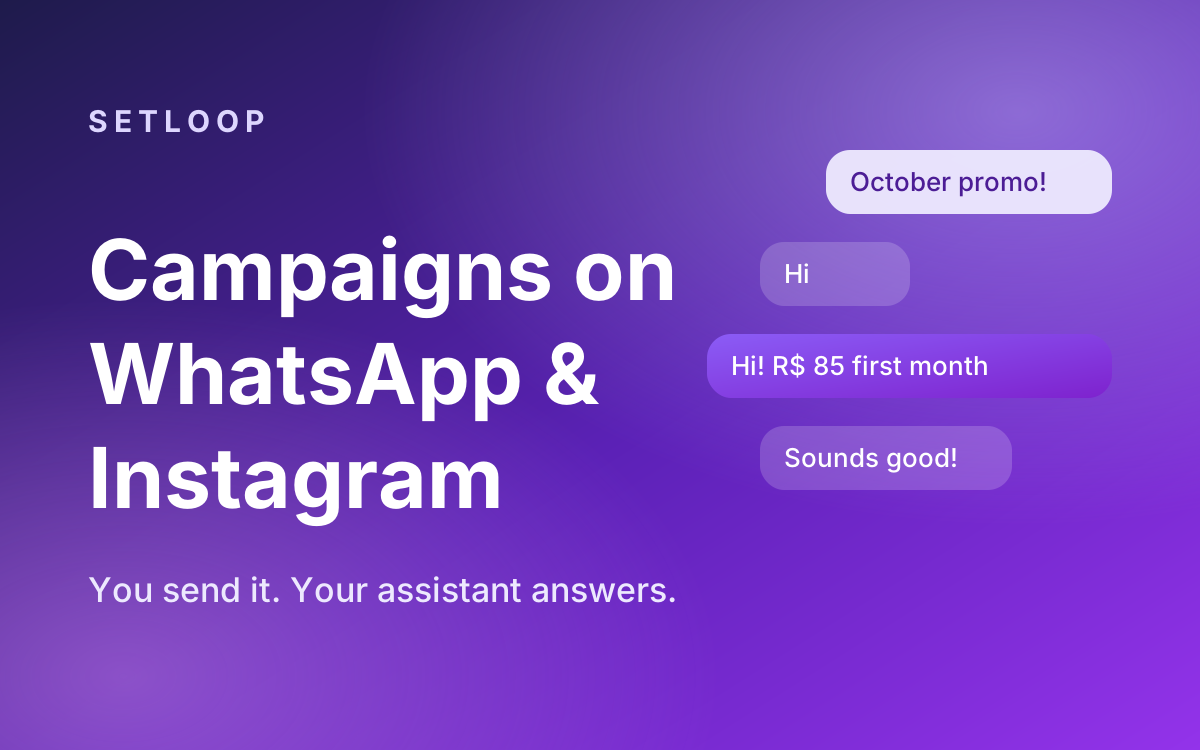
Imagine you send on WhatsApp: “This October, bring a friend and you both pay R$ 85 for the first month.” Dozens of replies come in: “Hi”, “How much?”, “Tell me more”, an emoji. Answering everyone quickly is hard, and people who wait too long lose interest.
A campaign fixes this. It has just two things: the message you send and what you are offering. When someone replies, the assistant already knows about the promotion and answers right away.
Setloop doesn’t send the message for you. You send it the way you already do, from the WhatsApp Business app or from Instagram, and Setloop takes care of whoever replies.
What it looks like
A “Hi” already means interest. The assistant brings the offer back and asks one simple question.
How to set it up
Four steps, a few minutes.
- 1
Paste your message
In the Setloop app, open Campaigns and click “New campaign”. Paste the message exactly as you will send it and write {name} where the person’s name goes. It needs at least about 40 characters.
- 2
List what you are offering
One line per offer, for example “Bring a friend: R$ 85 each for the first month”. Give the campaign a name and, if you like, add until when the offers are valid. Your usual prices and hours are already known to the assistant.
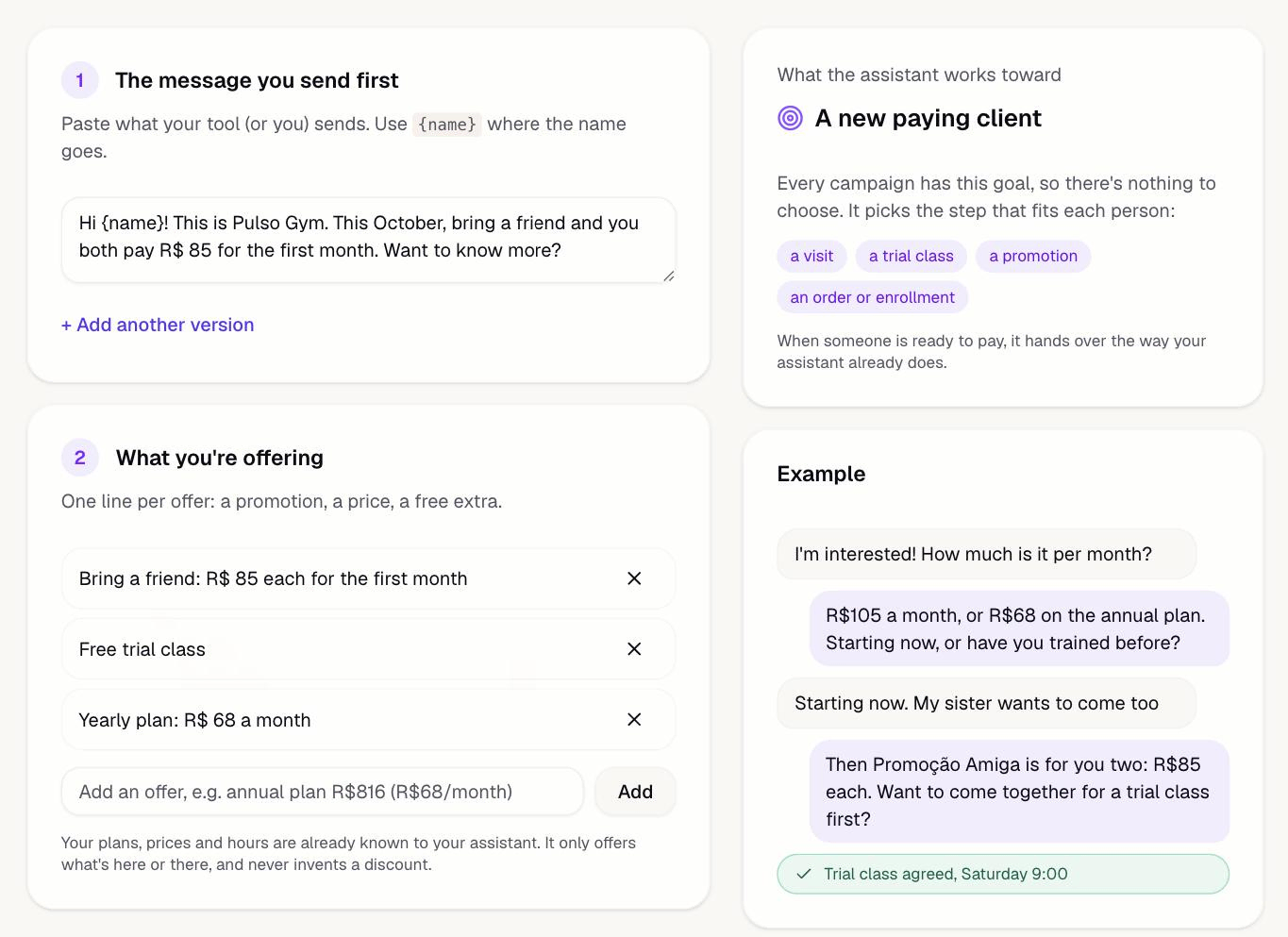
The message you send and what you are offering. That’s all. - 3
Try it
Click “Try it” and reply as if you were a customer. Nothing is sent to anyone. Also check that the assistant is on for the channel.
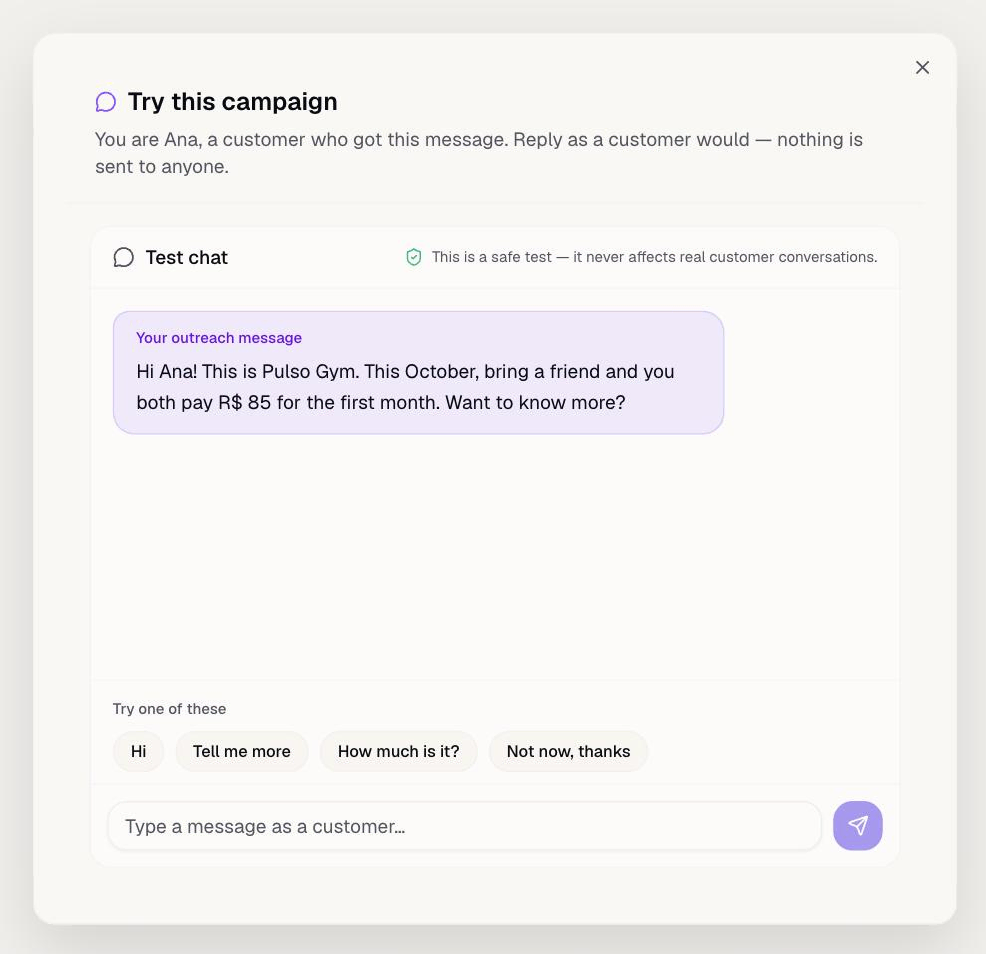
In “Try it” you reply as a customer and see what the assistant would say. - 4
Send it the way you already do
Send it from the WhatsApp Business app or from Instagram. Sent it before creating the campaign? No problem: Setloop includes the people who got the message in the last 30 days.
After you send it
The assistant answers
- Takes a “Hi” or an emoji as interest and answers with the offer.
- Leads each person to a next step: a visit, a trial class, a promotion or buying.
- Gives prices in one line and never makes up a discount.
- Takes a “no” and stops selling.
- Hands people who are ready to buy to your team.
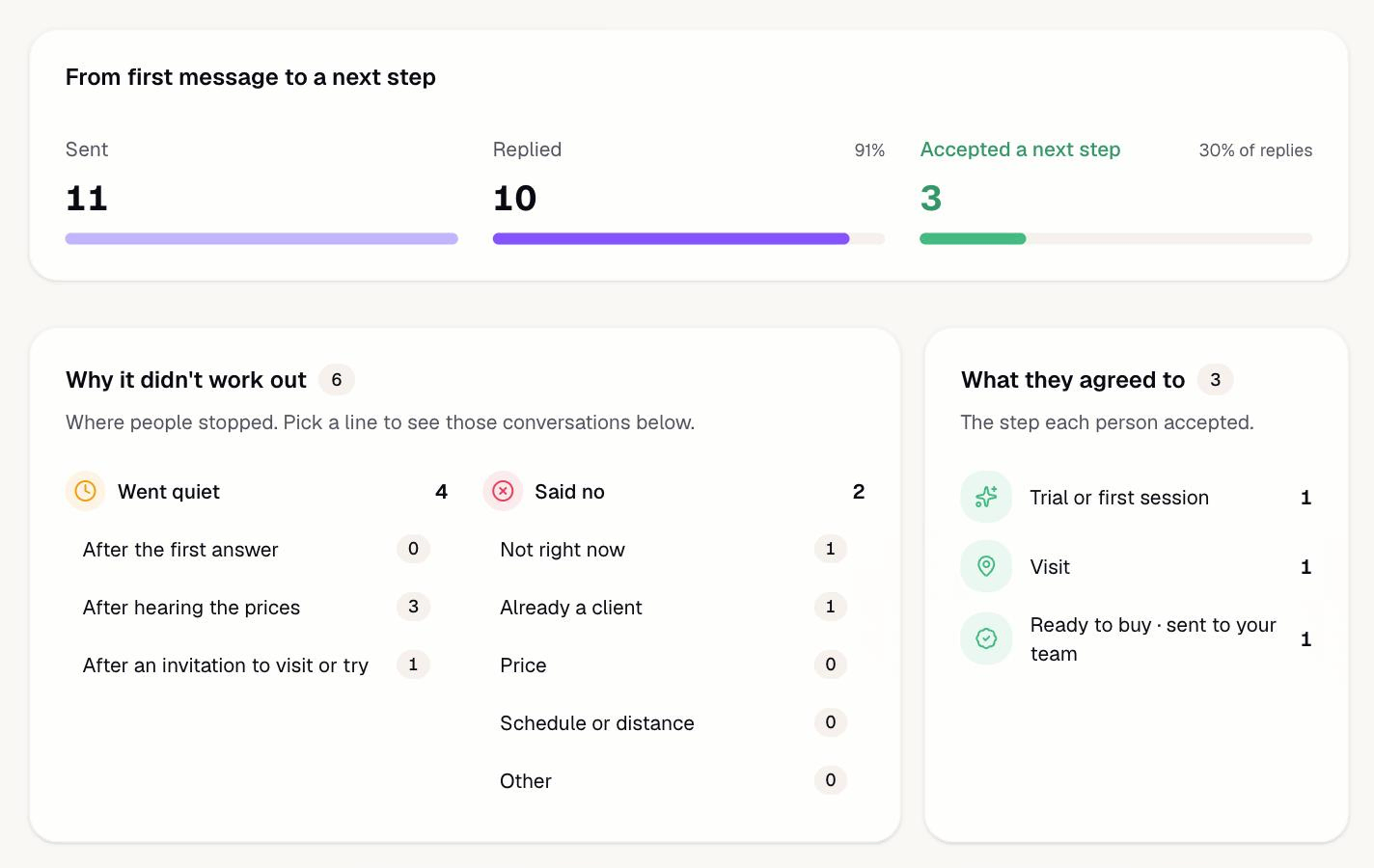
You follow along
- How many people got the message and how many replied.
- Who accepted a next step.
- Who said no, and why.
- At which point people stopped replying.
- Every conversation, so you can reply yourself.
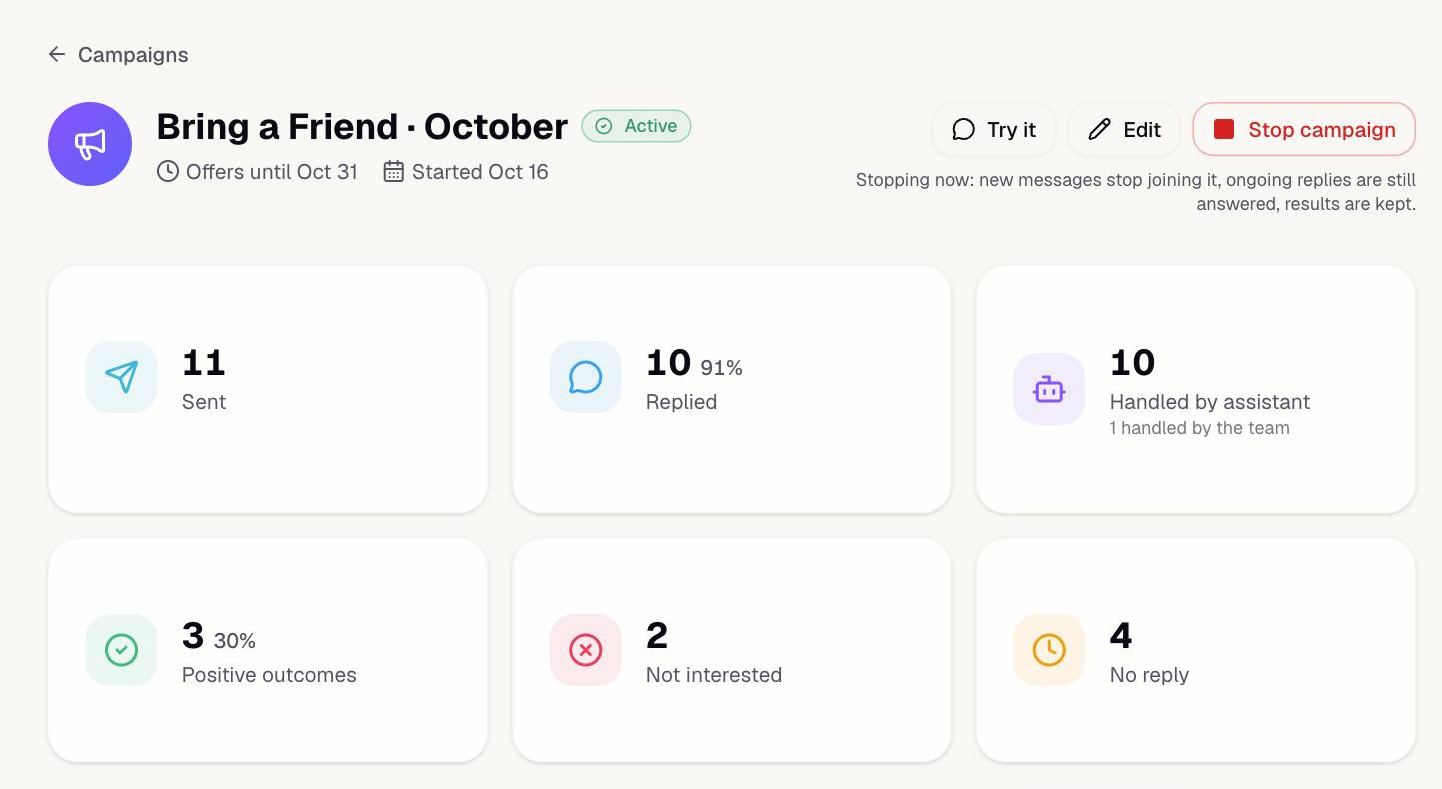
When the promotion is over, click “Stop campaign”. Ongoing conversations are still answered, and the results are kept.
Frequently asked questions
Does Setloop send the messages for me?
No. You send them the way you already do: from the WhatsApp Business app on your phone or from Instagram. Setloop recognizes your message and takes care of the replies.
Do I need a separate assistant for the campaign?
No. The assistant that is already on for the channel answers. The campaign only tells it what you offered.
Can I change the message a little for each person?
Yes. Each person's name and small changes are fine. If you send quite different texts, add each one as another version in the campaign.
Do my other conversations change?
No. Only people who answered the campaign message get this treatment. Every other conversation works as before.
Do campaign replies count toward my plan?
Yes, like any other reply from the assistant. There is no separate charge per campaign.
Related guides
- WhatsApp AI chatbotAn AI employee that answers your customers on WhatsApp with your business information.
- More leads and bookings from your WhatsApp AI agentWhat to tell your assistant so customer messages turn into leads, bookings and sales.
- From Instagram & WhatsApp to Booked Call: A Practical Conversation FlowSee a practical DM conversation flow that helps businesses move from first reply to qualification, follow-up, and booked appointment.